

Running a successful Pay-Per-Click (PPC) campaign isn’t just about writing catchy ad copy or bidding higher than your competitors. Algorithms have changed a lot from earlier times. It starts with picking the right keywords, the words your audience is using to search on Google or Bing.
That’s where a PPC keyword analyser comes in use. If you also want to improve your ad copy and landing page SEO, check out these keyword density checkers for content optimisation.
Because without the right tool, you only:
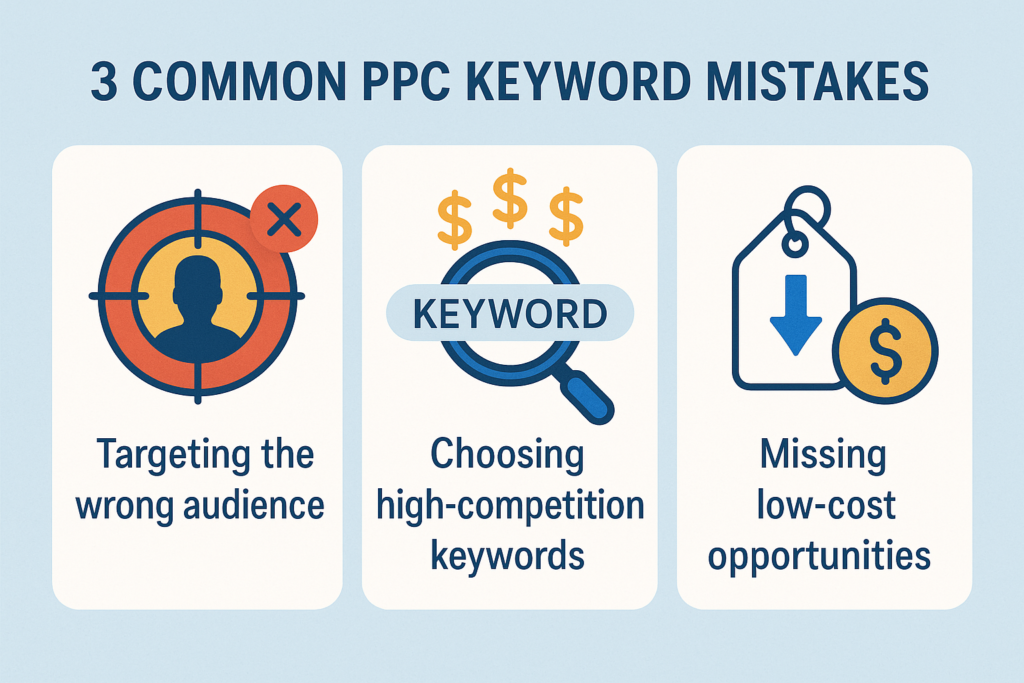
- Waste your ad budget on the wrong audience
- Target keywords with too much competition
- Miss out on cheaper, high-converting terms
Luckily, there are several smart PPC keyword research tools available, each with unique features to help you make better decisions. In this blog, we’ll break down the 5 best paid and free keyword research tools and how they can help you improve ROI, ad relevance, and click-through rates.
1. Google Keyword Planner
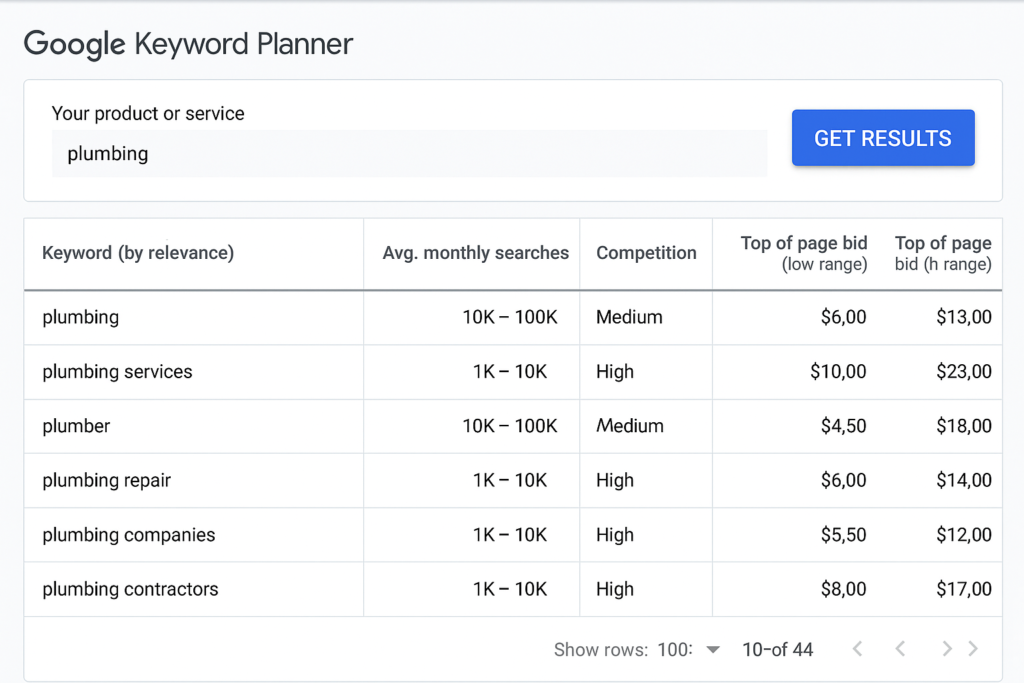
Google Keyword Planner is a free tool from Google Ads that helps you discover new keywords and see estimates like monthly search volume, competition level, and average cost-per-click (CPC).
Why it’s useful for PPC?
Google owns the biggest search engine on the planet. That means its data is reliable and directly tied to the Google Ads system. It’s perfect for:
- Starting your pay-per-click keyword research
- Getting real-time CPC estimates
- Finding keyword trends over time
Key Features:
- Search for keywords using a product, service, or URL
- See estimated clicks and impressions
- Get suggestions based on your website or niche
- Forecast potential Ad performance
Pros:
- 100% free to use
- Ideal for PPC beginners
- Directly connects with your Google Ads account
Cons:
- Doesn’t show competition beyond Google Ads
- Lacks advanced competitor research tools
Best for:
- Beginners and small businesses
- Marketers who want to keep costs low
- Starting a new PPC campaign from scratch
Pro Tip: Use it alongside another PPC keyword research tool for deeper insights.
2. Semrush Keyword Magic Tool
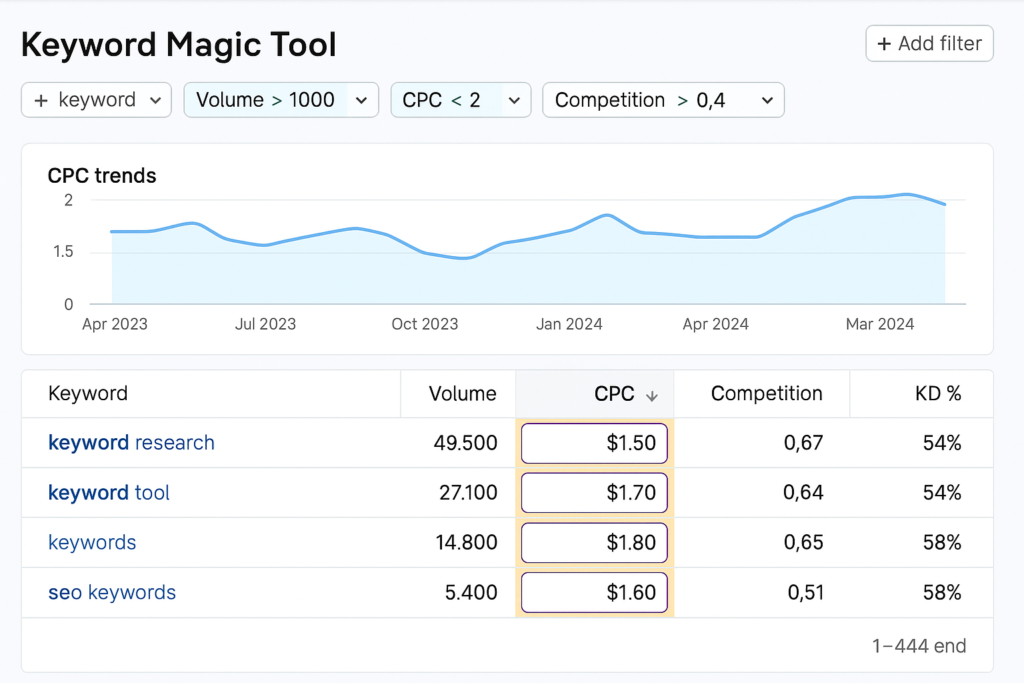
Semrush is a full-suite SEO and PPC platform. It’s widely known for SEO, but it also has powerful tools for paid keyword research and ad strategy. With Semrush, you can find profitable keywords, analyse competitors’ ads, and even spot keyword gaps.
Why it’s powerful for PPC?
Semrush stands out because of how much competitor data it offers. Want to see which keywords your rivals are bidding on? Semrush can show you. Want to know which keywords bring them the most traffic? You got it.
This is what makes Semrush an advanced PPC keyword analyser; you get insights that help you outsmart your competition.
Key Features:
- Keyword Magic Tool: Discover keyword ideas with search volume, CPC, and difficulty
- Advertising Research: Spy on competitors’ ad history and keywords
- Keyword Gap Tool: Compare your keyword list with your competitors’
- Ad builder and templates
Pros:
- Very detailed PPC keyword data
- Strong competitor analysis
- Easy-to-use visual reports
Cons:
- Not free (plans start at $139.95/month)
- Might be too complex for beginners
Best for:
- Agencies, digital marketers, and ad consultants
- Businesses are already investing in Google Ads
- Users who want both SEO + PPC in one place
Pro Tip: Use the “Top Paid Competitors” report to find brands running ads for your target keywords. It can give you ideas for bidding strategy and ad copy.
3. SpyFu
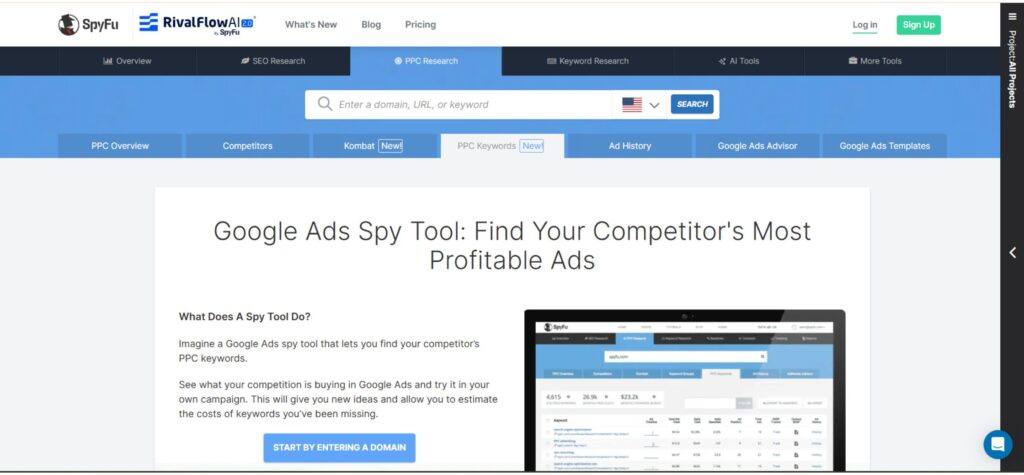
SpyFu is a tool that helps you understand your competitors’ online strategies, especially in PPC. It lets you “spy” on the keywords they’re targeting, how much they’re spending, and even what their ads look like.
It’s a great PPC keyword analyser if you want to learn from other businesses in your industry.
Why SpyFu is great for PPC?
Unlike tools that only show keyword suggestions, SpyFu focuses on competitive intelligence. You can find out:
- Which keywords your competitors are bidding on?
- How long have they been running specific ads?
- How much traffic do they get from paid search?
This helps you avoid guesswork in your pay-per-click keyword research.
Key Features:
- PPC competitor analysis
- Shared keyword reports
- Ad copy history for any domain
- Keyword grouping and filtering
Pros:
- Great for understanding competitors’ PPC strategies
- Offers unlimited searches in paid plans
- Useful for both Google Ads and Bing Ads
Cons:
- Less beginner-friendly interface
- Focuses mostly on US-based data
Best for:
- Businesses in competitive industries
- Agencies handling multiple client campaigns
- Marketers focused on stealing traffic from rivals
Pro Tip: Use SpyFu’s “Ad History” feature to spot which ads worked over time, so you don’t waste budget testing ideas that already failed elsewhere.
4. Ubersuggest
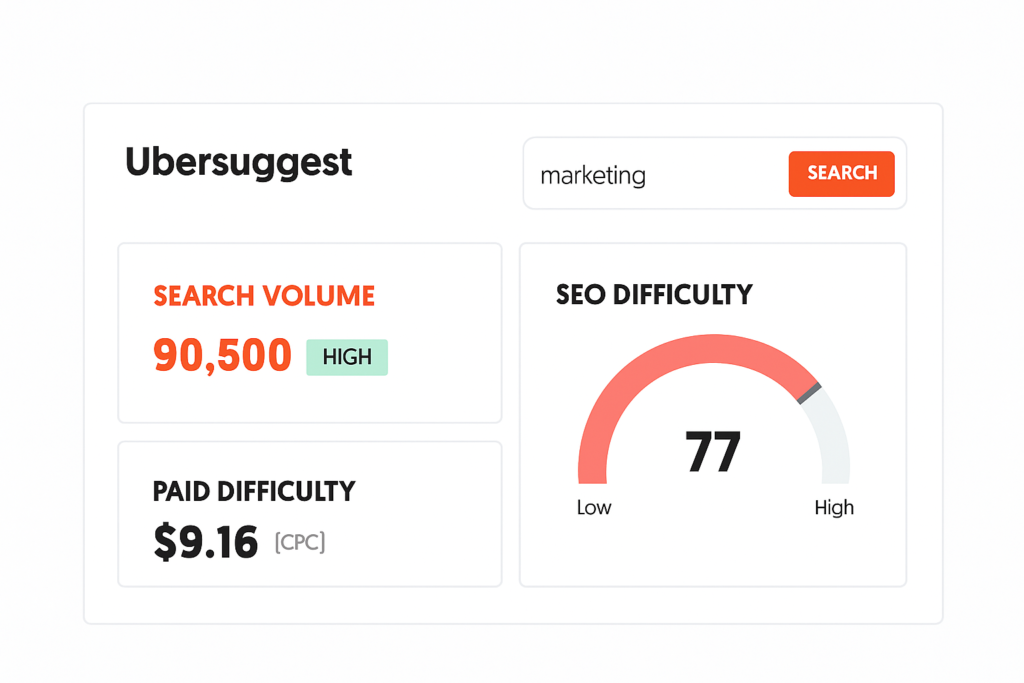
Ubersuggest, created by Neil Patel, is a simple and affordable tool for both SEO and PPC. It helps you discover new keyword ideas, track search trends, and even analyse competitors (to some extent).
It’s a great choice for beginners or small businesses that want paid keyword research tools without breaking the bank.
Why is Ubersuggest useful for PPC?
Ubersuggest offers easy-to-understand keyword metrics:
- Monthly search volume
- CPC (cost-per-click)
- SEO and PPC difficulty scores
Even though it’s not as advanced as Semrush or SpyFu, it’s perfect for quick, actionable PPC keyword research.
Key Features:
- Keyword suggestions and ideas
- Competitor domain analysis
- Chrome extension for real-time keyword data
- SEO + PPC audit capabilities
Pros:
- Very affordable (free version + low-cost plans)
- User-friendly for beginners
- Supports both SEO and PPC needs
Cons:
- Limited data depth compared to premium tools
- Competitor insights are not as detailed
Best for:
- Startups and freelancers
- Bloggers running small PPC campaigns
- People who want a quick way to find keyword opportunities
Pro Tip: Combine Ubersuggest with Google Keyword Planner to compare keyword data and check for consistency before launching a new ad campaign.
5. WordStream Keyword Tool
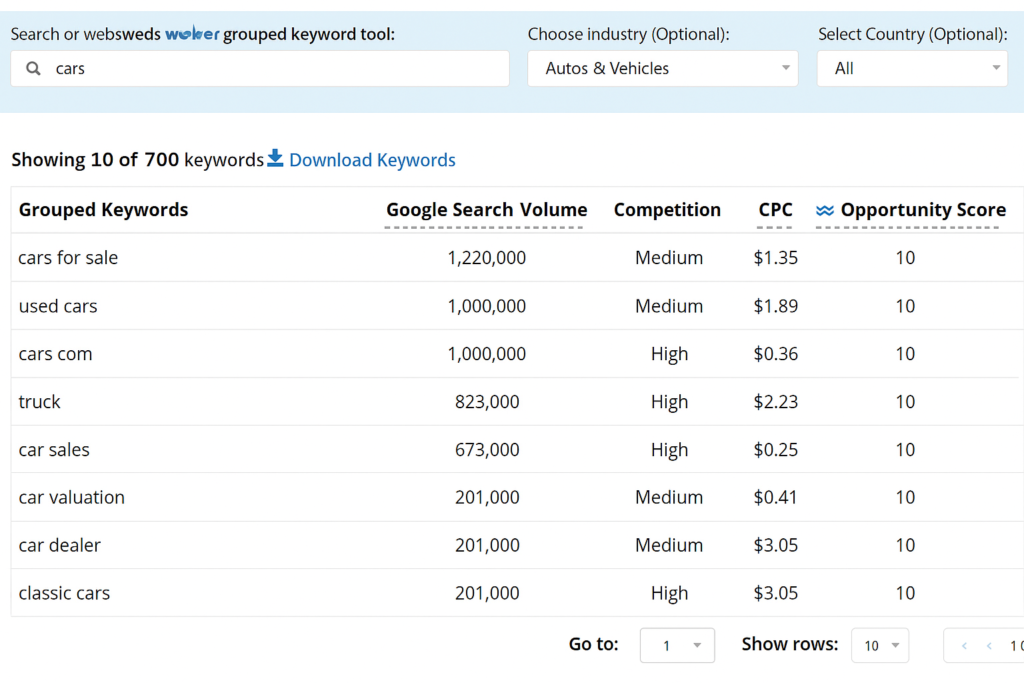
WordStream’s Free Keyword Tool is designed specifically for advertisers. It focuses on generating fast keyword suggestions based on your industry and location.
Unlike some tools that focus mostly on SEO, WordStream is built for PPC keyword research, making it especially helpful for small business owners or those short on time.
Why does WordStream help PPC campaigns?
If you need quick keyword suggestions without dealing with overwhelming data, WordStream delivers. You can enter a seed keyword and get a list of suggestions organised by search intent and relevance.
Key Features:
- Keyword ideas grouped by themes
- Location-based keyword filters
- Negative keyword suggestions
- Google Ads performance grader
Pros:
- Very simple and fast
- Designed with PPC in mind
- Free to use (with limits)
Cons:
- Limited data access unless you sign up
- Doesn’t show historical ad data or competitor keywords
Best for:
- Local businesses
- Solo marketers and small teams
- Those looking for fast campaign ideas
Pro Tip: After getting your keyword list from WordStream, plug it into Google Ads to test performance projections and refine your bidding strategy.
How a Good PPC Keyword Analyser Improves Your Campaign?
Before we move on to the next tools, it’s important to understand what separates a great keyword tool from a basic one. A good PPC keyword analyser should help you:
- Discover high-intent keywords your audience is searching for
- Compare keyword performance based on cost, volume, and competition
- Analyse what your competitors are targeting
- Optimise your campaigns by removing irrelevant or costly terms
Most importantly, it should save you time and money while helping you reach more qualified leads.
How to Choose the Right PPC Keyword Research Tool for Your Needs?
Now that you’ve explored all five top PPC keyword analysers, you might be wondering: “Which one should I actually use?”
Here’s a simple guide based on your goals, experience, and budget.
If You’re a Beginner
- Use: Google Keyword Planner + Ubersuggest
- Why: Both tools are free or low-cost, and easy to learn. They help you cover the basics of pay-per-click keyword research without being overwhelmed.
If You’re an Agency or Advanced Advertiser
- Use: Semrush + SpyFu
- Why: These offer deep insights into competitors, keyword gaps, and historical data, perfect for crafting professional PPC campaigns.
If You’re a Small Business Owner
- Use: WordStream + Google Keyword Planner
- Why: These tools are simple, quick, and built for advertisers who wear many hats and need fast results.
Expert Tips for Better PPC Keyword Research
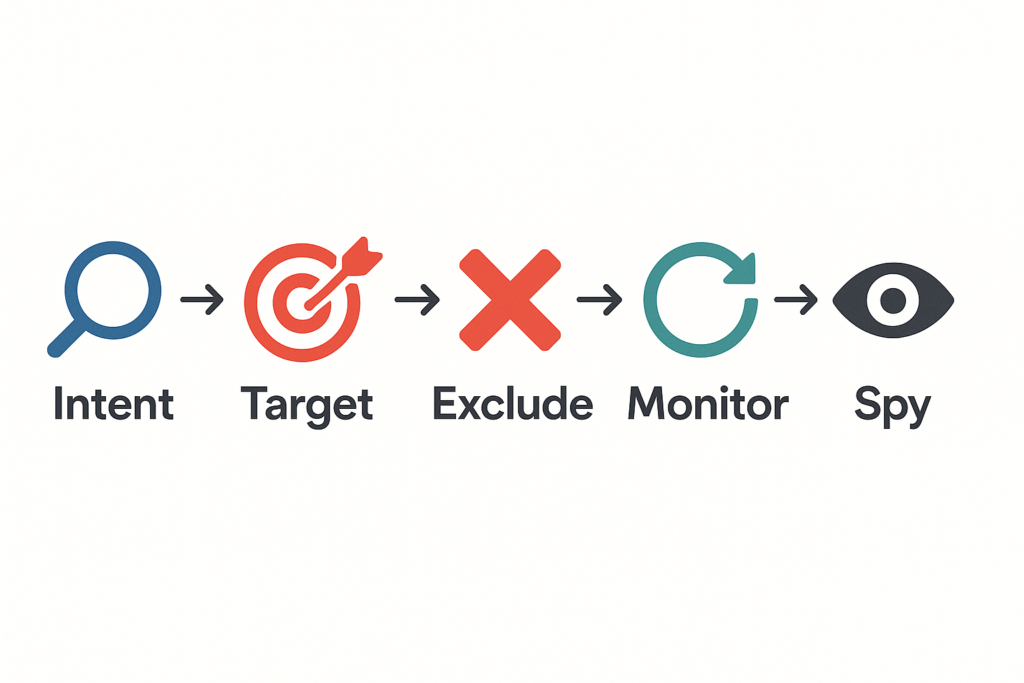
Regardless of the tool you choose, here are some powerful tips to elevate your keyword strategy:
1. Always Focus on Search Intent
Just because a keyword has a high search volume doesn’t mean it’s good for ads. Ask yourself:
“What is the person really looking for when they type this?”
Choose keywords that match a buyer’s intent, not just random traffic.
2. Group Keywords by Theme
Google Ads rewards Ad relevance. When you group similar keywords into one ad group, your Quality Score improves, this means:
- Lower cost-per-click (CPC)
- Better ad rankings
- Higher click-through rates (CTR)
Use your PPC keyword analyser to organise terms into themes like:
- Product categories
- Pain points
- Locations
3. Use Negative Keywords
Negative keywords help you block irrelevant traffic. For example, if you’re running ads for paid SEO tools, you might want to exclude “free.”
Tools like WordStream and Semrush allow you to discover negative keywords easily.
4. Monitor and Optimise Weekly
PPC is not a one-time job. Use your tool to:
- See which keywords are underperforming
- Adjust bids
- Add new, trending terms
A reliable PPC keyword research tool should support ongoing optimisation.
5. Spy on Competitors (But Be Smart About It)
Use tools like SpyFu and Semrush to see:
- What ads do your competitors run?
- Which keywords are they bidding on?
- What’s working for them (and what’s not)
Learn from their wins and avoid their mistakes.
Real-World Use Cases: Matching Tools to Business Types
Still not sure which tool to start with? Here are a few examples based on industries and needs.
E-commerce Store
- Goal: Drive product sales through Google Shopping ads
- Use: Semrush for keyword + competitor research
- Why: Helps discover product-focused keywords and bid smarter than competitors.
Local Service Business (Dentist, Plumber)
- Goal: Show up in local Google searches
- Use: WordStream + Google Keyword Planner
- Why: Easy location targeting and keyword suggestions for local intent.
SaaS Startup
- Goal: Acquire leads through landing pages
- Use: Ubersuggest + SpyFu
- Why: Affordable tool to start, plus SpyFu helps you monitor what similar SaaS brands are doing.
Digital Marketing Agency
- Goal: Manage multiple client ad accounts
- Use: Semrush + SpyFu + Google Keyword Planner
- Why: Advanced reporting, competitor tracking, and in-depth keyword gap analysis.